Guide
How to use CareerCompiler.
You enter a resume and a job description. Then you choose what you need: a career match verdict, a tailored resume, or a cover letter. This page walks through each.
Enter your resume and the job description
Two inputs. Nothing else is asked for, and there is no account to create.
1Add your resume
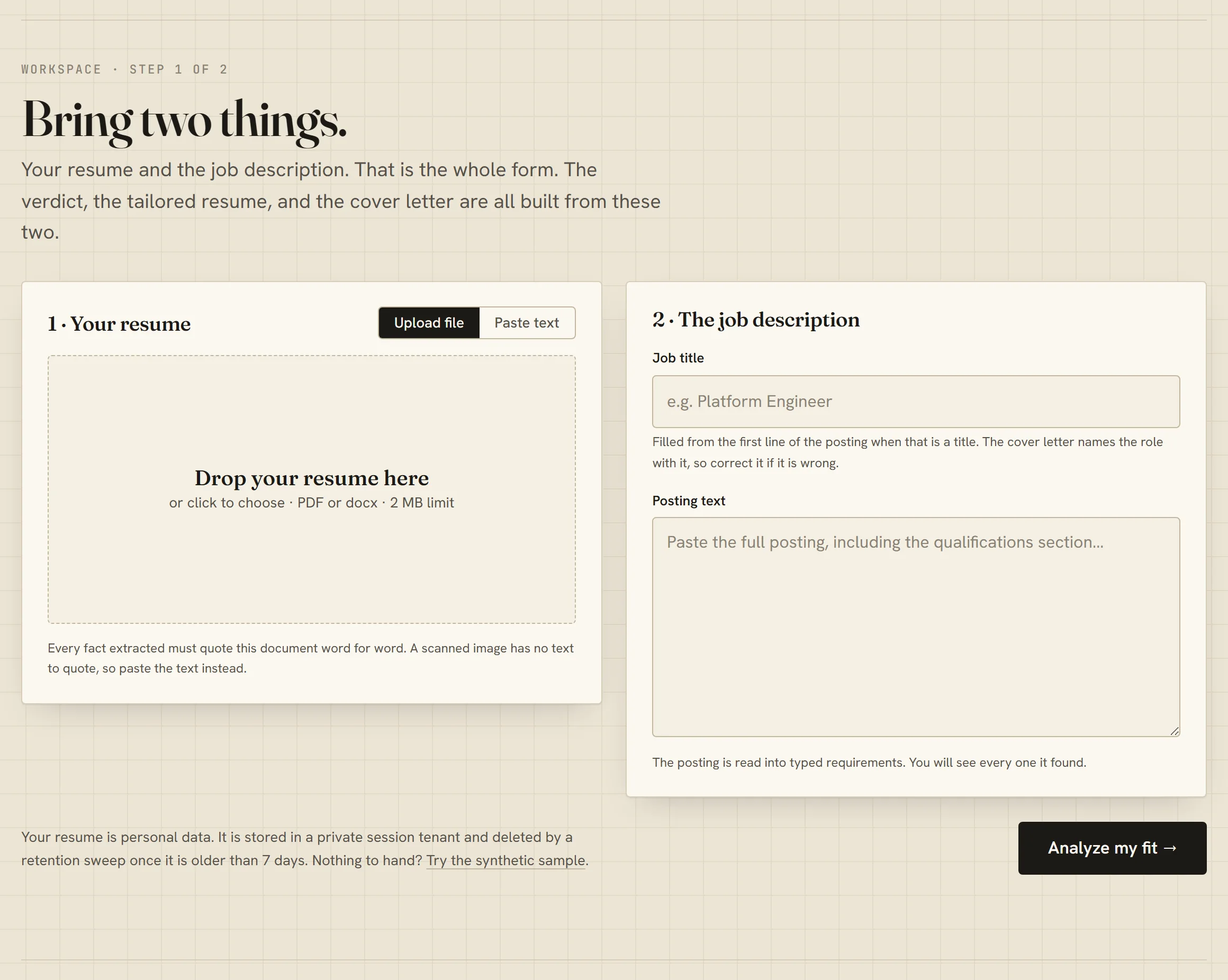
Open the workspace. Drop a PDF or docx on the left card, or switch to Paste text and paste the resume. Files are limited to 2 MB. A scanned image has no text, so paste instead.
2Paste the job description
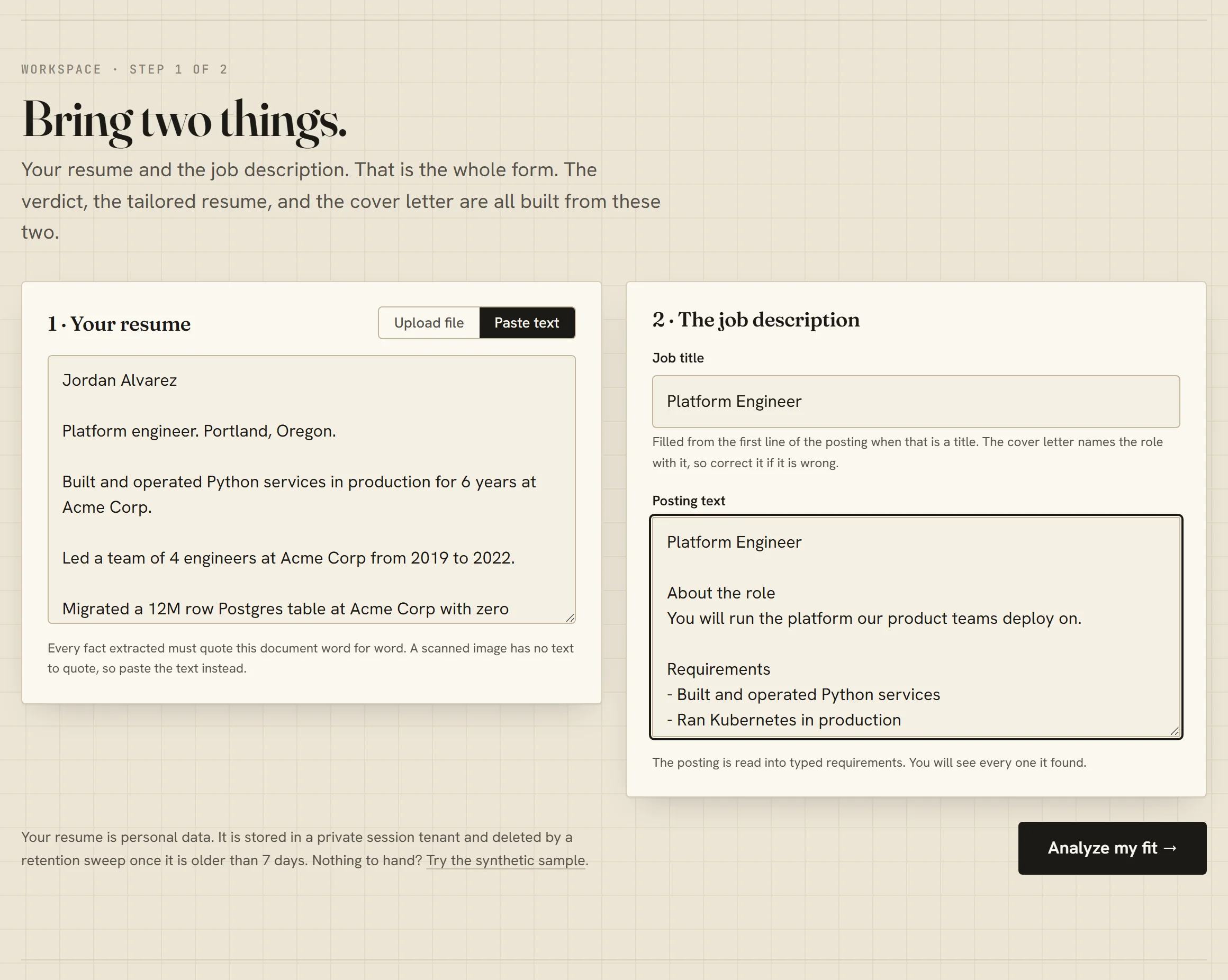
Paste the full posting on the right, including the qualifications section. The job title fills in from the posting's first line. Correct it if it is wrong, because the cover letter names the role with it. Then press Analyze my fit.
3Watch the build
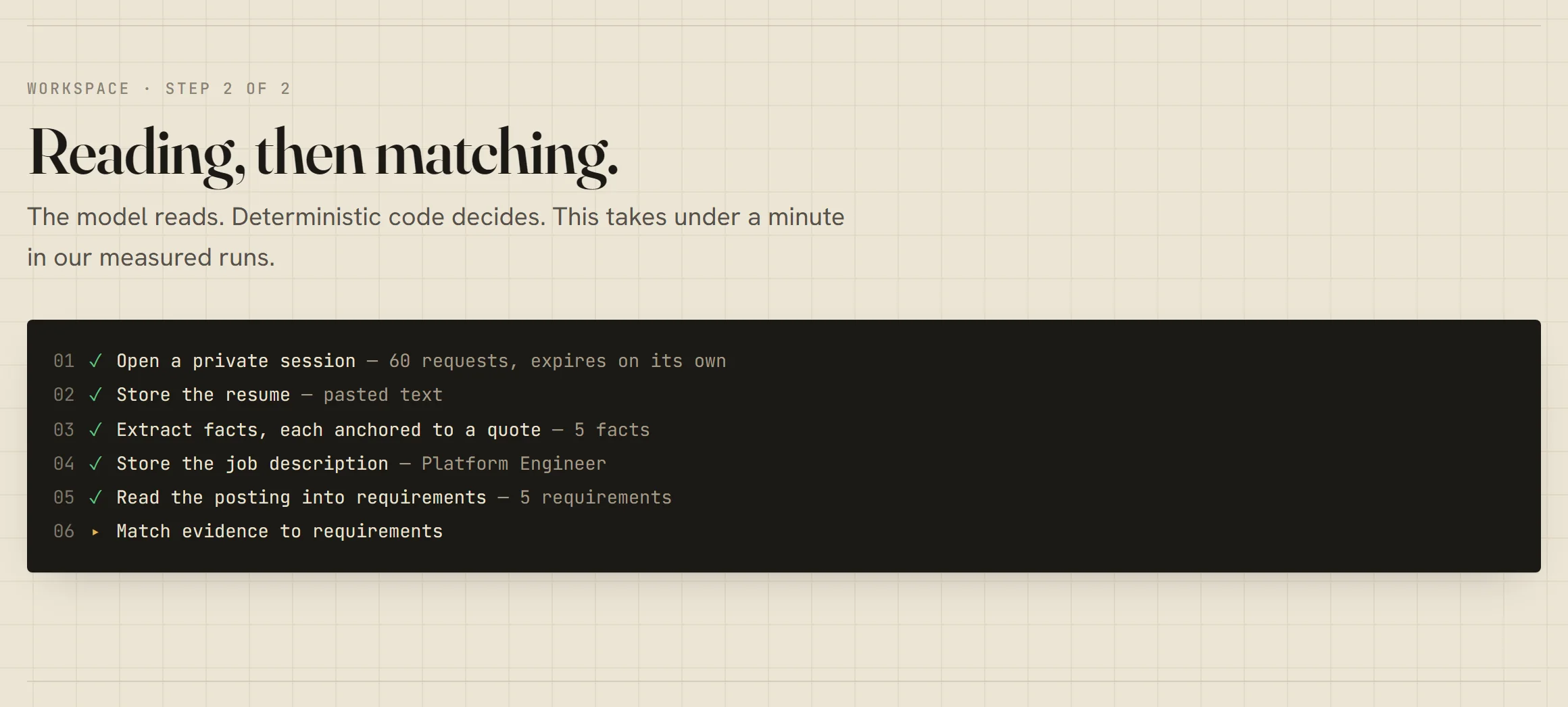
Six steps run in order: a private session opens, the resume is stored, facts are extracted (each must quote your document word for word), the posting is stored and read into requirements, and your evidence is matched. If a step finds nothing to work with, the build stops and says why.
Career match: should you apply?
The first tab answers the question before you spend time on documents.
1Read the verdict
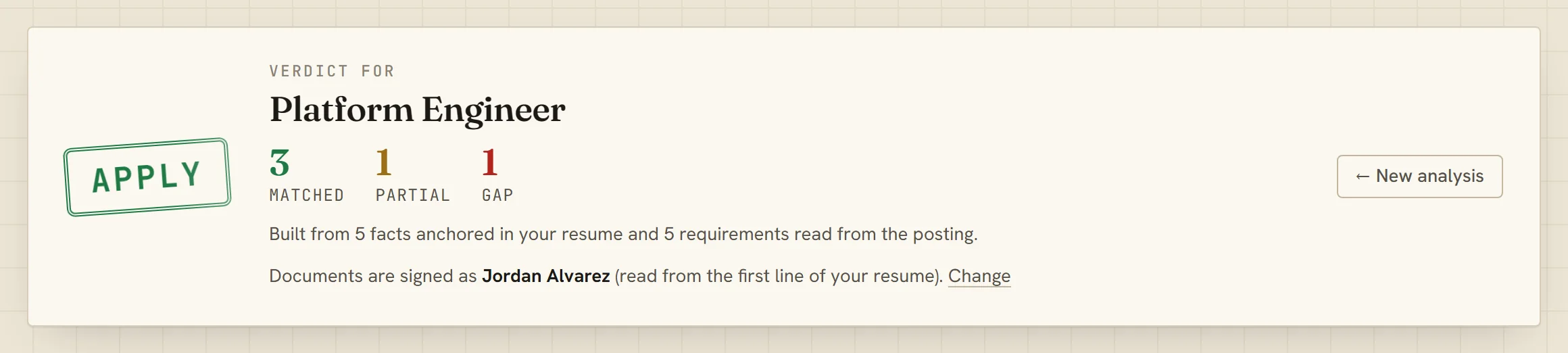
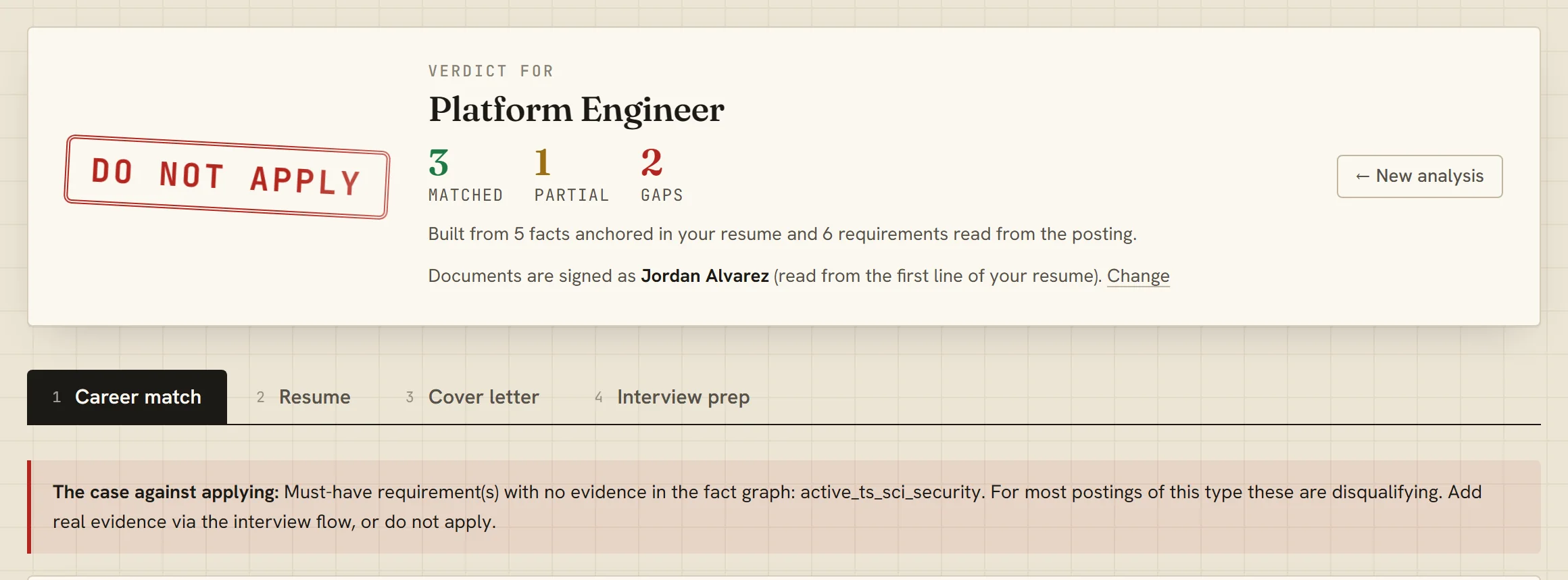
The stamp says apply or do not apply. Beside it, the count of requirements matched, partly matched, and missing. There is no percent score, because a percent would be invented. The same card shows the name your documents will be signed with, read from the first line of your resume. Press Change if it is wrong.
2Check each requirement
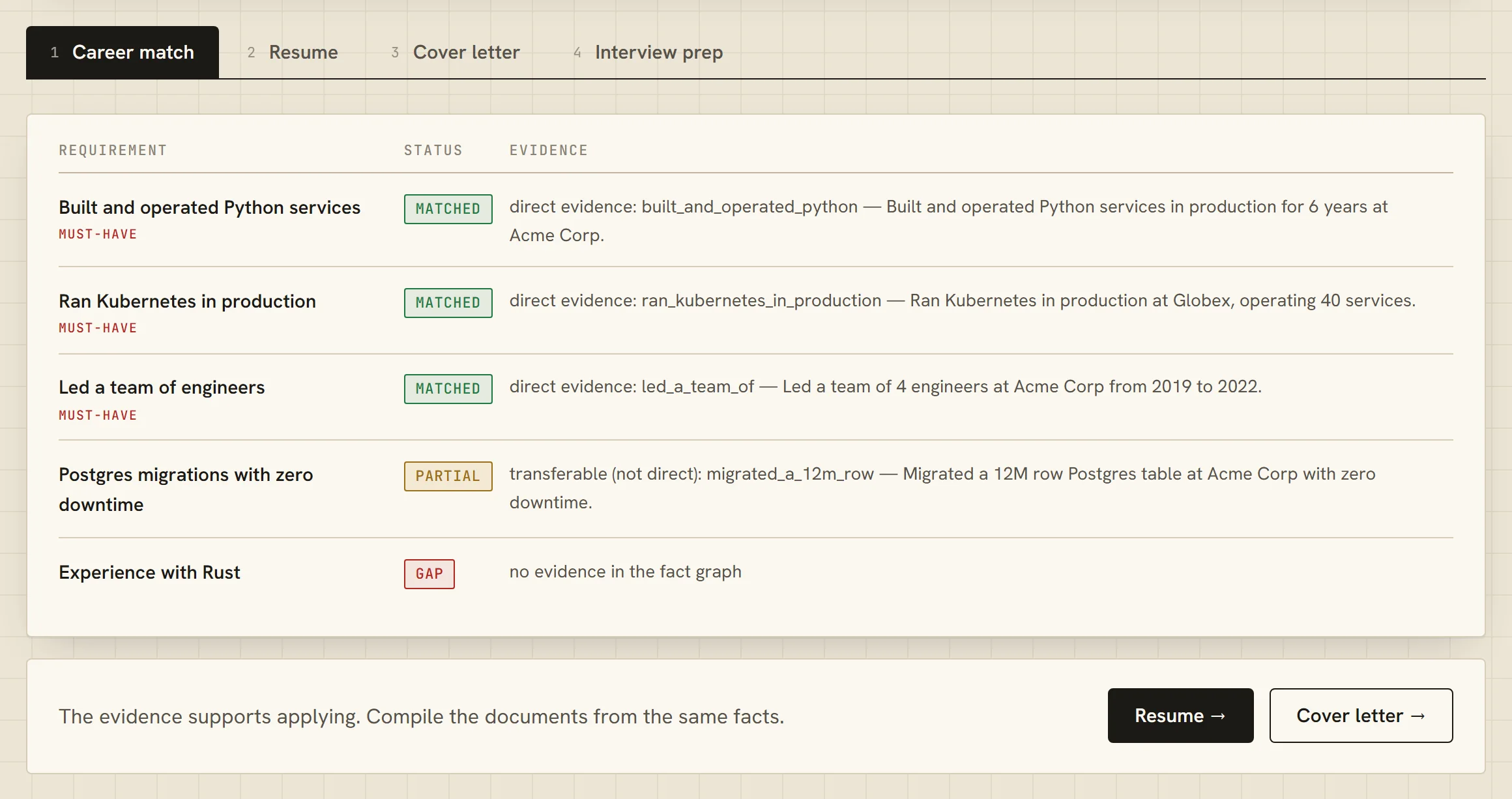
The table lists every requirement in the posting's own words. Matched has direct evidence. Partial has related evidence. Gap has none. Must-haves are marked. The evidence column names the fact that earned the status.
3Take a do-not-apply seriously
When a must-have requirement has no evidence, the verdict is do not apply and the case against is written out. You can still compile documents, but they will only say what your facts support. The gap stays a gap.
Resume: generate it, then modify it
The job chooses which of your facts make the page. It never rewords them to match the posting.
1Pick a length and compile
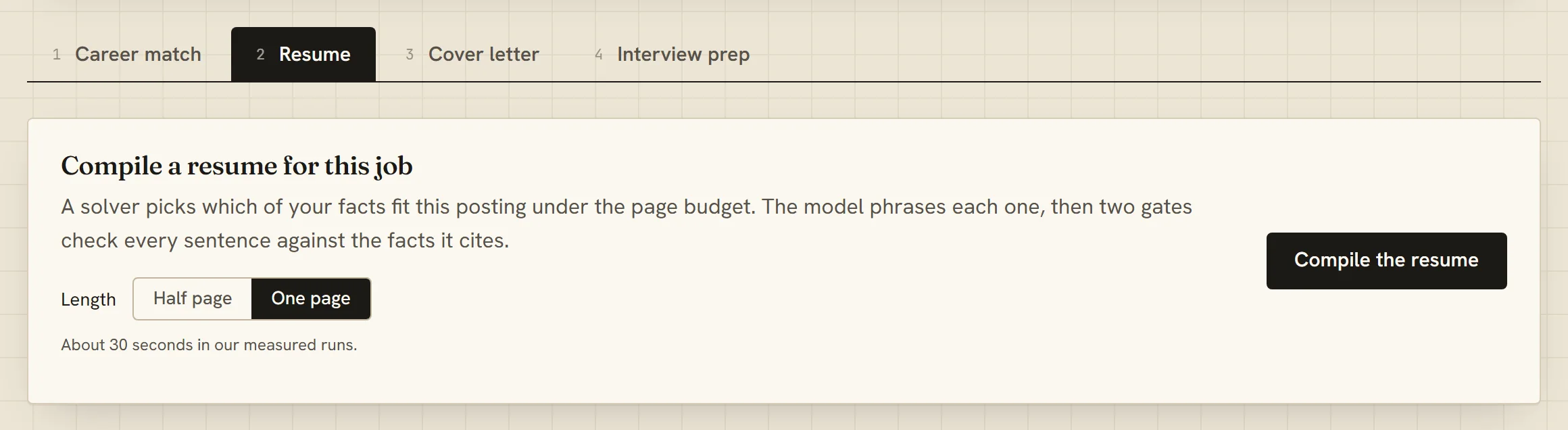
Open the Resume tab. Choose Half page or One page, then press Compile the resume. A solver picks the facts that fit this job under that budget. Compiling takes about 30 seconds in our measured runs.
2Read the sheet
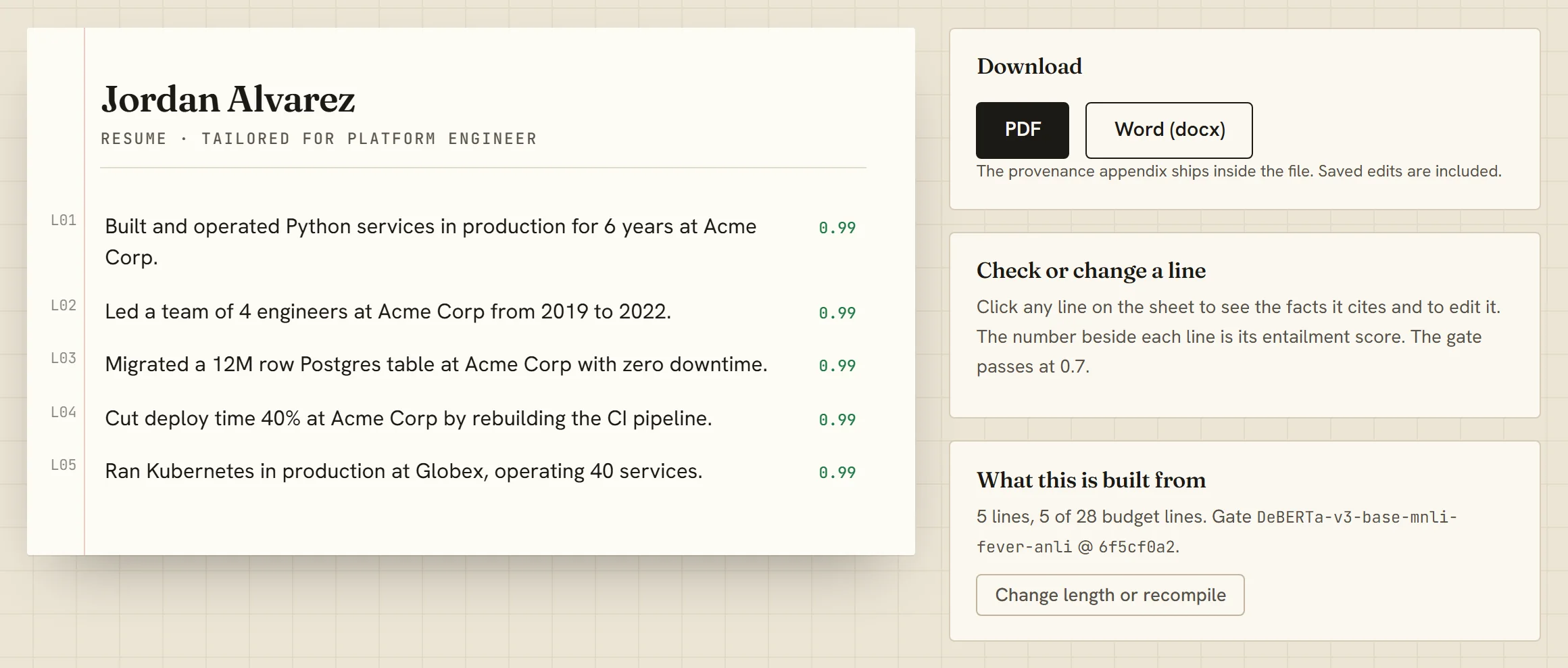
Each line shows its entailment score in the margin: how strongly the cited facts support the sentence. The right rail lists what was left out and the typed reason for each omission.
3Click a line to see its evidence
Select any line. The rail shows the facts it cites, each quoted from your own resume, and opens an editor for the wording.
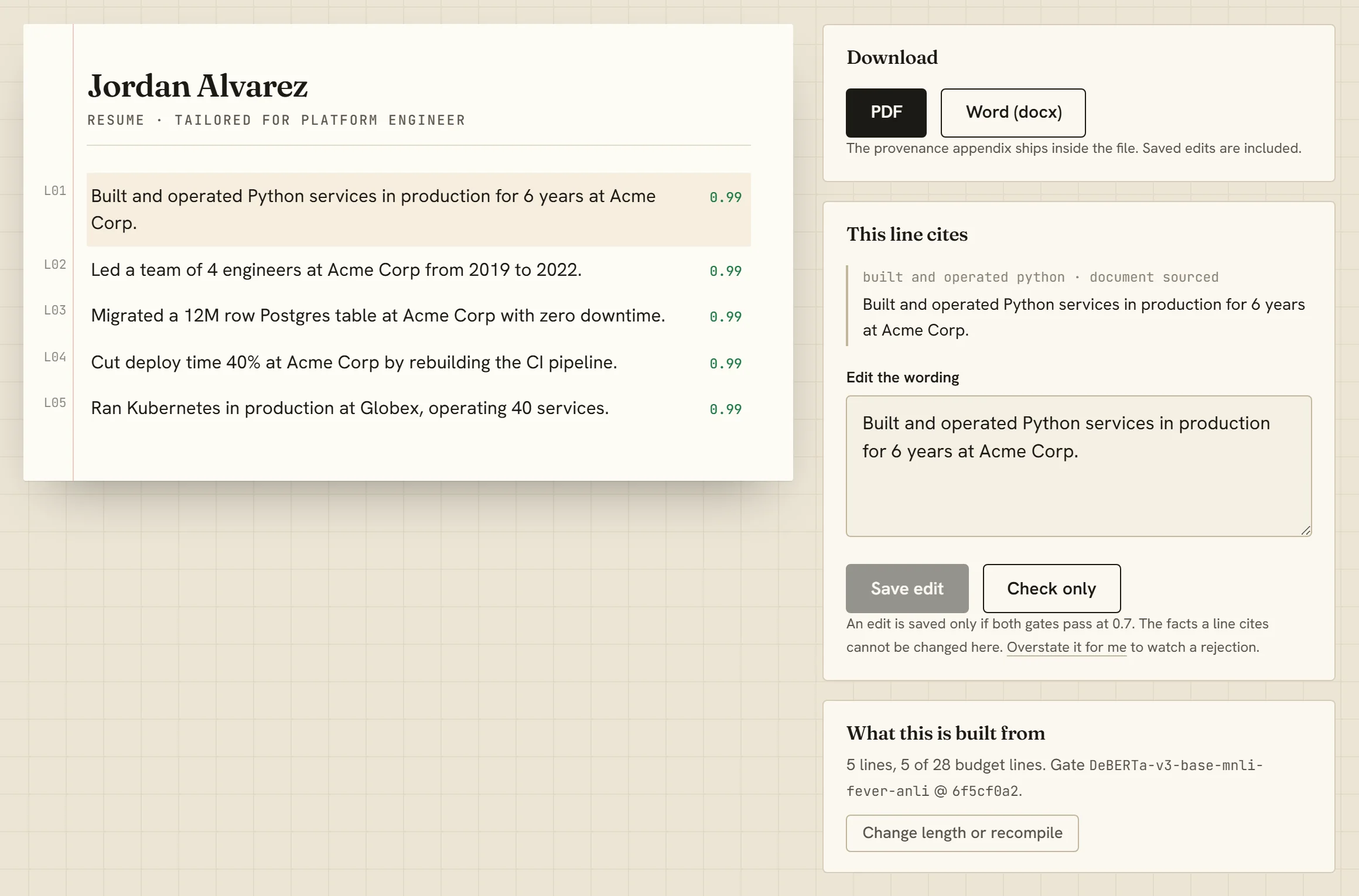
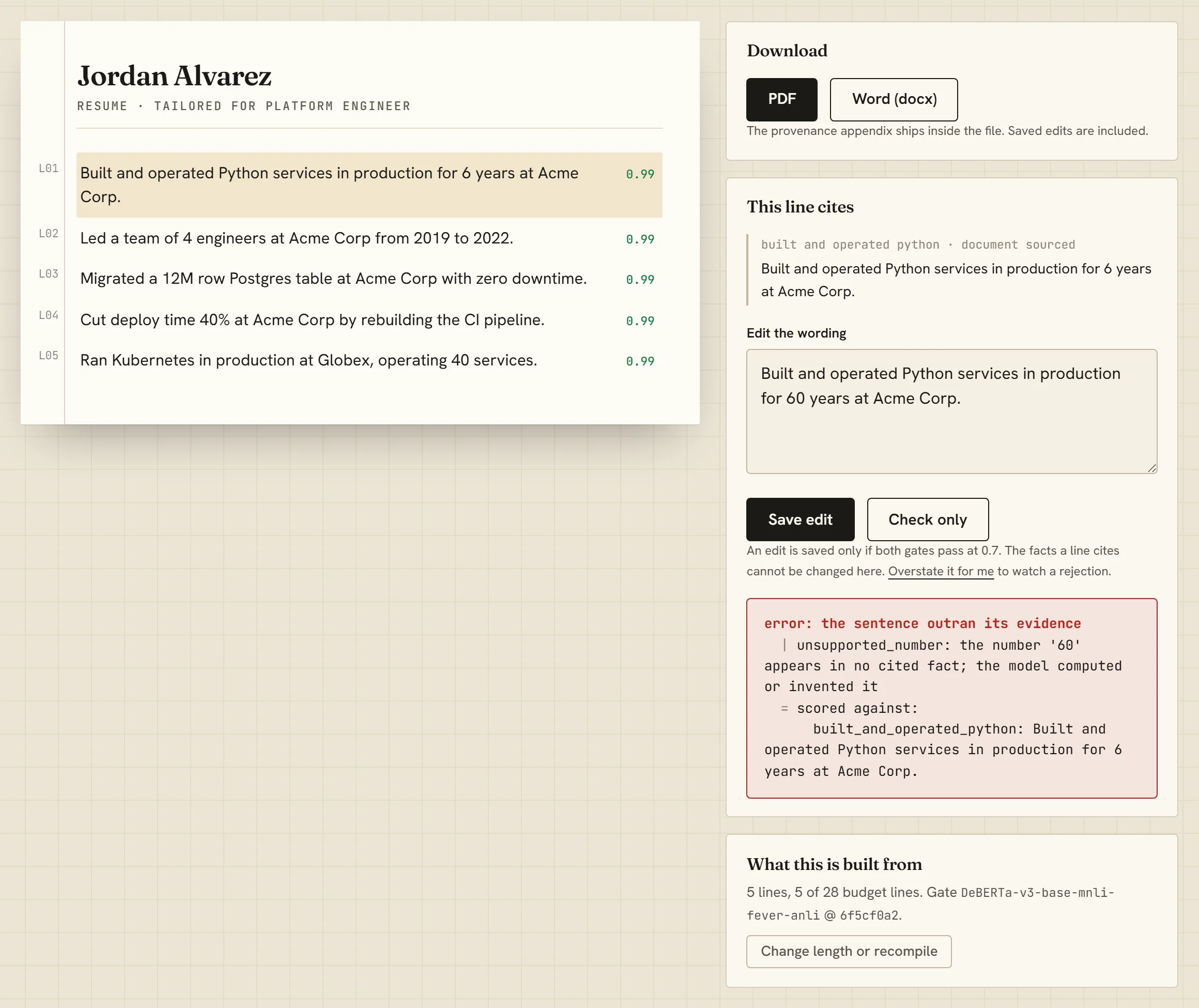
4Try to overstate it
Change a number, or press Overstate it for me. The gate rejects the edit and shows why: the number is in no cited fact, or the entailment score fell under the threshold. Nothing is saved.
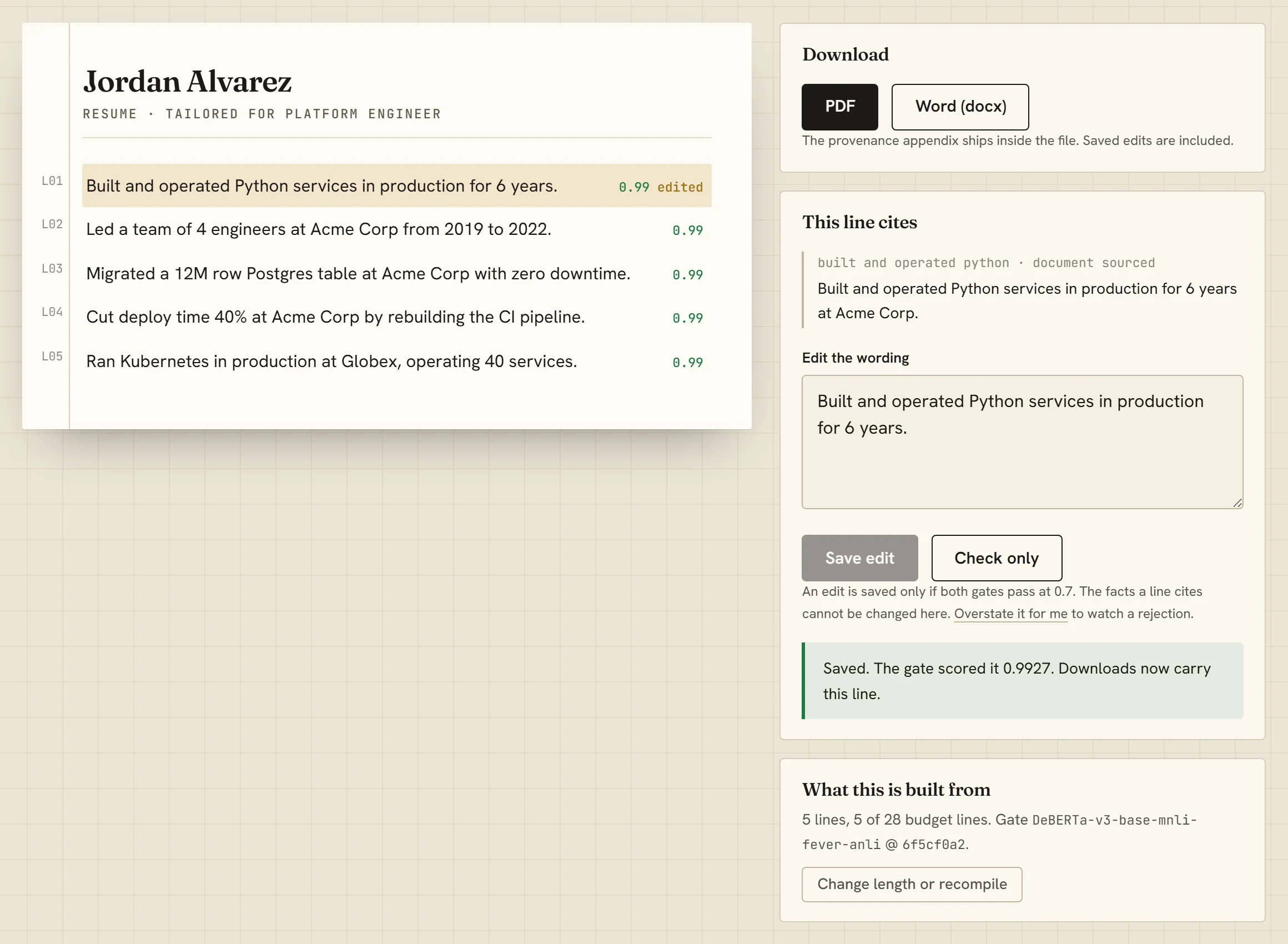
5Save an honest edit
Reword the line without adding a claim, then press Save edit. Both gates run again. On a pass the line is replaced, marked edited, and the PDF and docx carry it. One line holds up to 600 characters.
6Download
Press PDF or Word (docx). The file includes a provenance appendix mapping each line to its facts.
Cover letter
The same two gates as the resume. A letter is where overstating is most tempting, so it gets no exemption.
1Compile the letter
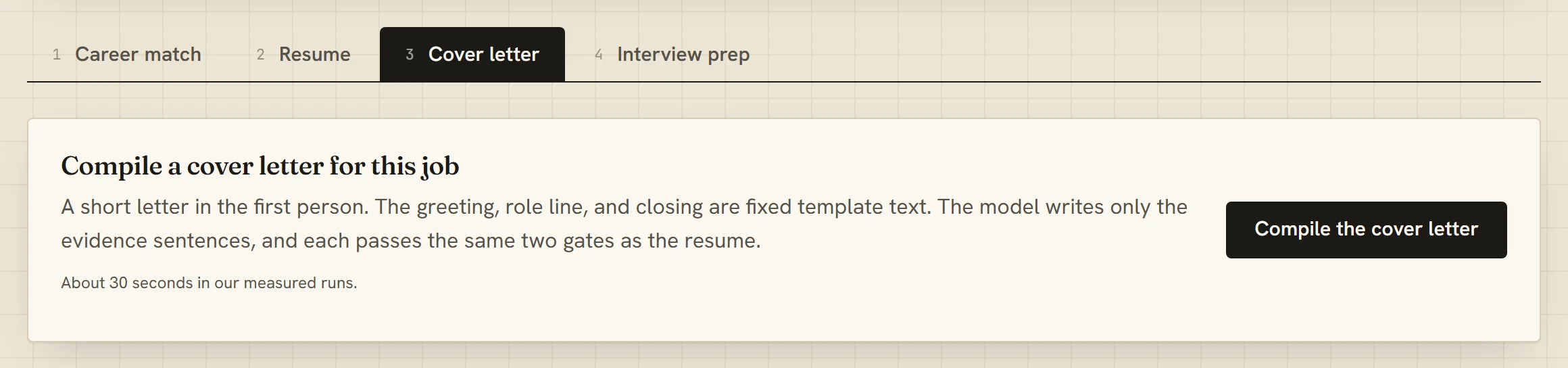
Open the Cover letter tab and press Compile the cover letter.
2Know which words are yours
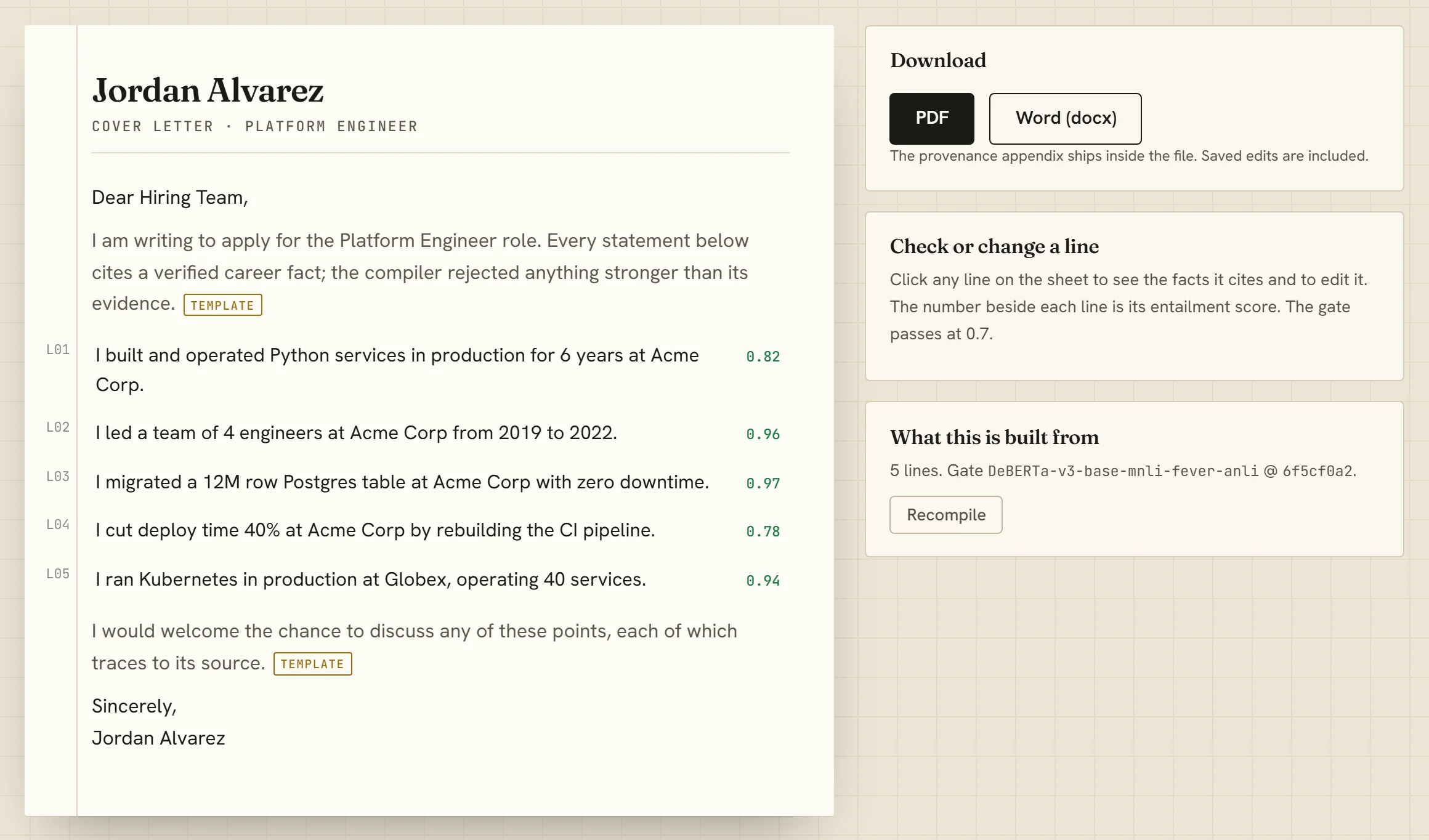
Lines marked template are fixed text: the greeting, the role line, the closing. They claim nothing about you. The sentences between them were written from your facts and each passed the gate. Click one to see its evidence or edit it, exactly as on the resume.
3Download
PDF or docx, from the same rail. Saved edits are included.
Good to know
The name on your documents
You are never asked for your name. It is read from the first line of your resume when that line is plainly a name. If it is not, you are asked to type it once. Either way you can change it from the verdict card, and the next download is signed with the new name.
Sessions end on their own
A session lasts 30 minutes and has a fixed request budget. When it ends you see one screen with one button. Start a new session and run the analysis again.
Interview prep
The fourth tab builds a prep pack from the compiled resume: the facts behind each line, the numbers you may quote, and the questions a skeptical interviewer would ask.
Nothing to hand?
The sample runs the same screens on an invented candidate and two invented postings, one of each verdict.